
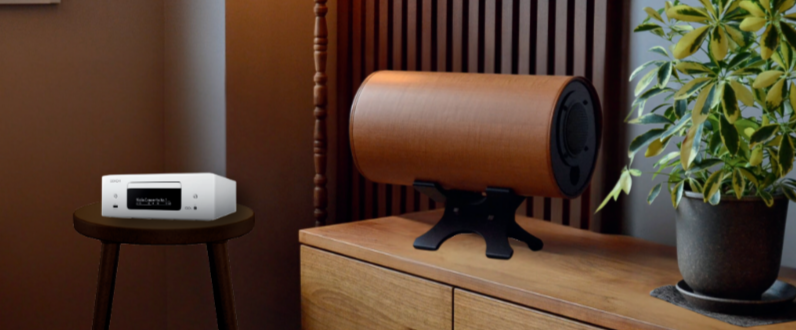
This time, we'll introduce how to connect stationary speakers (MS1001 series, RS0802 series, etc.) via Bluetooth.
The method for connecting stationary speakers via Bluetooth depends on whether the amplifier you're connecting has built-in Bluetooth functionality.
・For amplifiers with built-in Bluetooth functionality
In this case, you would use the amplifier's Bluetooth function, so please refer to the amplifier's instruction manual for connection methods.
If you need to prepare an amplifier, we can introduce DENON amplifiers that support Bluetooth connection, which we use in our Showroom.
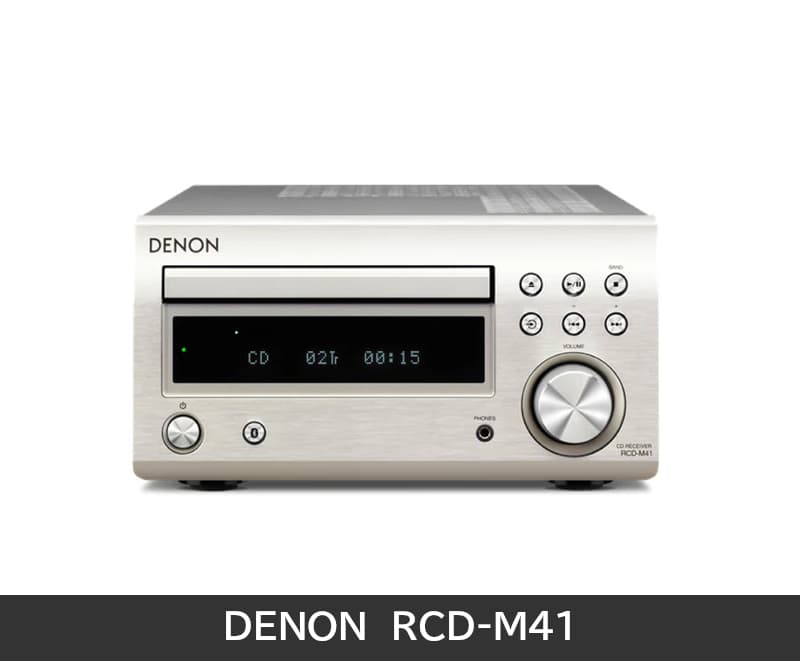
・CD Receiver RCD-M41
Supports CD playback and FM radio.
You can also enjoy TV audio by connecting to your TV with an "optical digital cable."
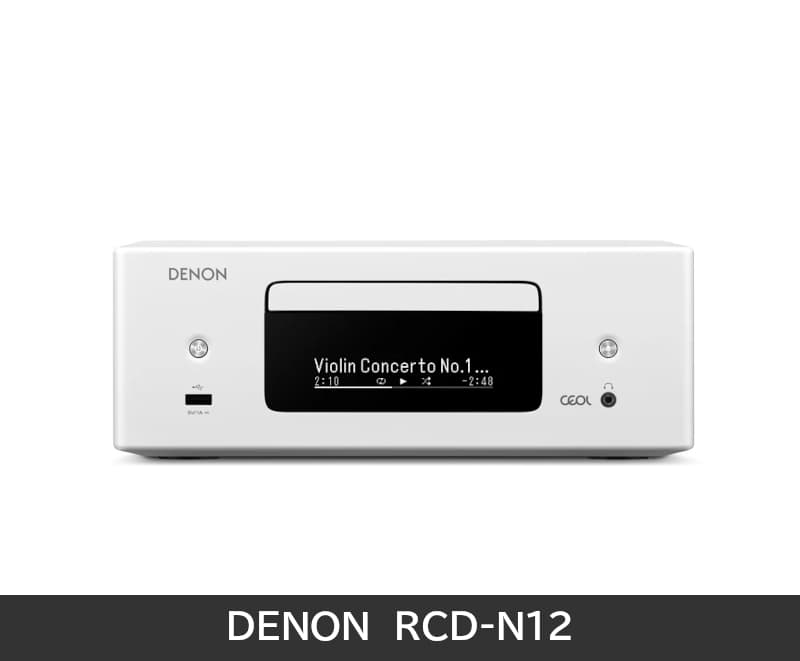
・Network CD Receiver RCD-N12
This is the upgraded version of the RCD-M41 mentioned above.
Equipped with an HDMI terminal, making TV connection and operation even simpler.
Wired and wireless network connections are also possible, so when playing music from an iPhone,
you can enjoy "AirPlay" with higher sound quality (CD quality) than Bluetooth.
It also features a PHONO terminal for analog records, making it useful in various situations.
For more details, please refer to DENON's product pages via the links.
・For amplifiers without built-in Bluetooth functionality
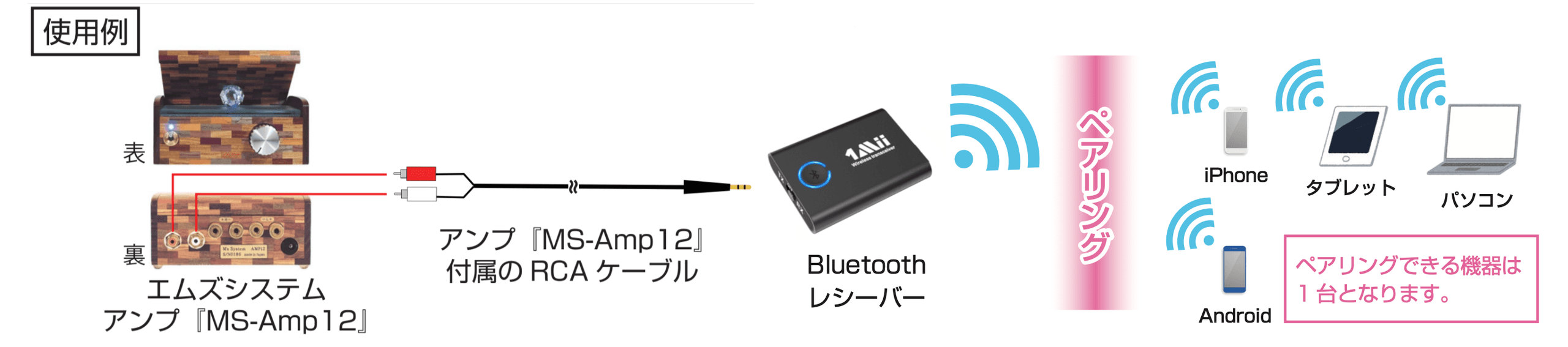
For example, with amplifiers without Bluetooth functionality such as our original amplifier "W-Amp12," you can add Bluetooth support by connecting a commercially available Bluetooth receiver to the amplifier's external input terminal.
For information about the Bluetooth receiver you'll need to prepare, please refer to the following article.
How to Connect M's system Speakers via Bluetooth? (Chocolat and Vanilla Edition)
With our "W-Amp12," you can connect to a Bluetooth receiver using the included audio cable.
If you're unsure about how to connect a Bluetooth receiver to your existing amplifier, please feel free to contact us with the manufacturer and model number, and we'll research and guide you accordingly.
For contact information, please refer to this page.
https://mssystem.co.jp/contact/
Frequently Asked Questions
What should I check when connecting stationary speakers via Bluetooth?+
How do I connect if my amplifier has built-in Bluetooth functionality?+
Can I still use Bluetooth if my amplifier doesn't have Bluetooth functionality?+
If I need to prepare a new amplifier that supports Bluetooth, what models are available?+
What can the RCD-N12 do compared to the RCD-M41?+



More from our Blog
You may also be interested in
Latest in "News"

テレビ朝日
このたび、テレビ朝日「じゅん散歩」の新富町散策の中で、エムズシステムにお立ち寄りいただきました。 放送予定は、2026年10月1日(木)10:10〜10:40で…

テレビの
テレビの声が聞き取りにくいのは、テレビのスピーカーの音は一方向へ進むため、聞く場所が正面から少し外れるだけで届きにくくなってしまうからです。エムズシステムがご提…

部屋の
部屋の音環境を整える最初の一歩は、音を足すことでも、消すことでもありません。いま部屋にある音が「どこから、どんなふうに」届いているかを知ることです。私たちが考え…
Latest Articles
テレビ朝日
このたび、テレビ朝日「じゅん散歩」の新富町散策の中で、エムズシステムにお立ち寄りいただきました。 放送予定は、2026年10月1日(木)10:10〜10:40で…
テレビの
テレビの声が聞き取りにくいのは、テレビのスピーカーの音は一方向へ進むため、聞く場所が正面から少し外れるだけで届きにくくなってしまうからです。エムズシステムがご提…
部屋の
部屋の音環境を整える最初の一歩は、音を足すことでも、消すことでもありません。いま部屋にある音が「どこから、どんなふうに」届いているかを知ることです。私たちが考え…
Catalog Request
Product catalogs, customer voices, media features & more. Request materials here.
Newsletter
New products, events & more. Stay up to date with our latest news. Subscribe here.
Book a Session
Reserve your listening session.
Contact Us
Products, maintenance, events & more. Get in touch with us. We'd love to hear from you.